
POS software for Uganda that keeps selling offline.
Stem POS is the offline point-of-sale product in Stem Business OS, alongside Stem Invoicing. Run the till on your phone, a tablet or a Windows counter with no connection, then let Stem sync when the internet comes back.
- Works without internet
- Free to start
- Your data stays yours
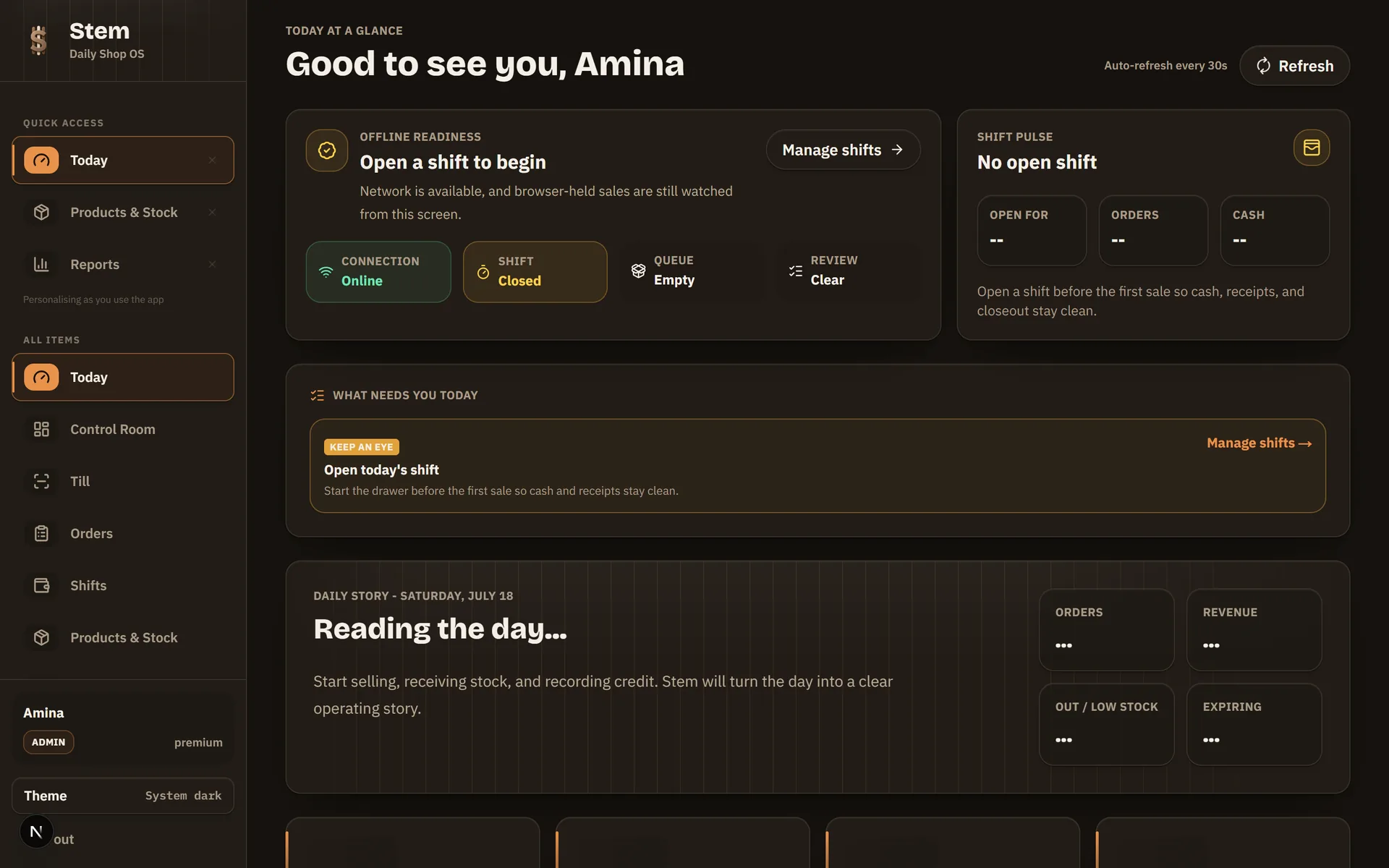

Your sales, stock and money should tell the same story.
A point-of-sale system records what you sold, how the customer paid and what left the shelf. Stem keeps those records together, so you do not spend the evening making the till, the stock book and the cash agree.
- Know what sold
- See what is low
- Close with confidence
Six jobs you should not have to chase every evening
These are the complaints we hear at real counters. Stem deals with them while the sale is happening, not after the shop closes.
“The network is down, so the till is down.”
Not with Stem. Stem POS keeps a full copy of your shop on the machine itself, sells at full speed with zero connection, and syncs the moment internet returns. Nothing waits, nothing is lost.
“Stock just… disappears, and nobody can explain it.”
Every item is tracked from the day it arrives to the day it sells, with wastage recorded, low-stock alerts, and counts that show exactly where the numbers stopped matching.
“The credit notebook never collects the money.”
Customer credit lives in Stem POS, not a book: limits per customer, the balance printed on their receipt, repayments taken at the counter, and overdue debts flagged before they go bad.
“The evening cash never matches the sales.”
Every cashier works a shift with an opening float and a closing count. Expected against actual, per person, every day, so a drawer difference always has a name next to it.
“I close the shop, then start the paperwork.”
The day closes itself into one honest report: what you sold, what it cost, what was refunded, what needs attention tomorrow. You read it rather than compile it.
“I’m not sure what my staff ring up when I’m away.”
Every sale, price change, discount and refund carries the name of the person who did it. When your Stem POS devices sync, you can watch the day from your phone’s browser, wherever you are.
Scan it. Take payment. Print. Next customer.
Add items, choose how the customer pays, print a receipt and move to the next sale — without a complicated setup.
- Search or scan items quickly
- Take cash and mobile-money payments
- Keep selling when internet is unavailable
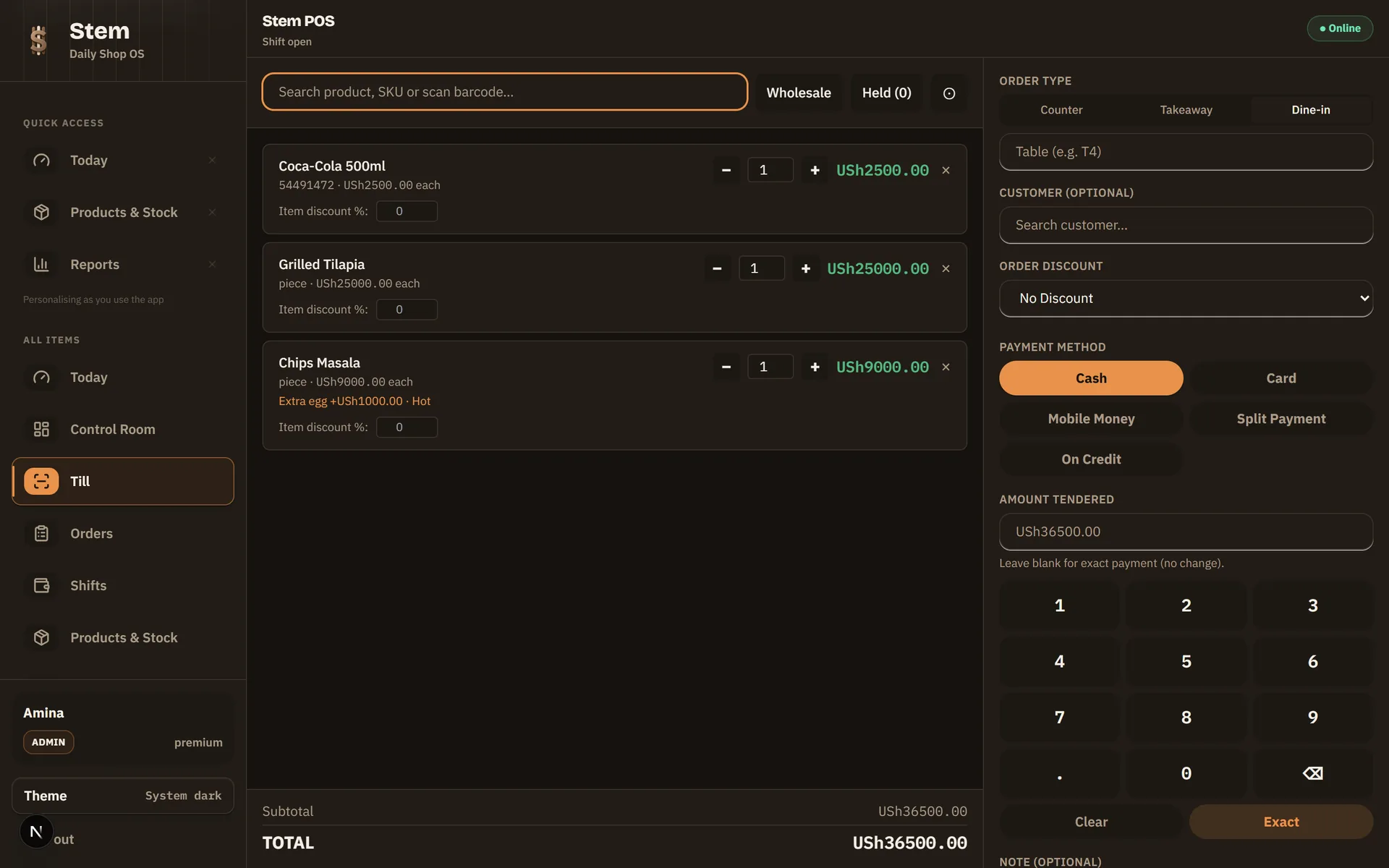
Set Stem up for the counter you actually run.


Stock that tells the truth. A close that tells the whole story.
Find products, adjust quantities and see the numbers behind the day without moving information between notebooks and spreadsheets.
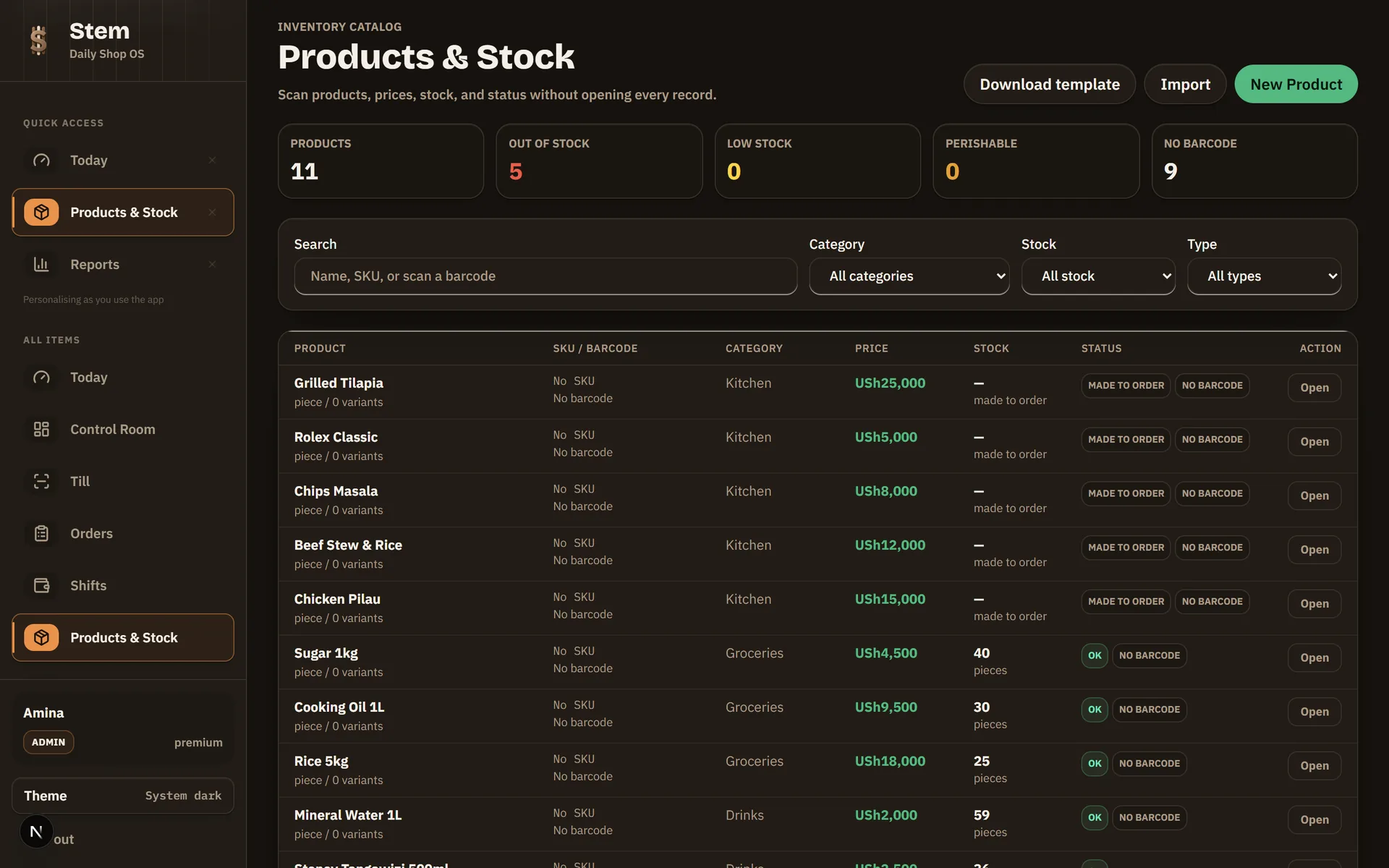
The work behind the sale, done while you serve the next customer.
The till keeps selling after the network goes
Stem POS for Windows runs fully offline. Sales, receipts, held orders and drawer accounting keep working with no connection at all, then sync when the internet returns.
- Barcode scanning, split payments, exact-tender keypad
- Cash, card, mobile money and customer credit in one flow
- Offline sales book on the day they actually happened
Know what is on the shelf — and what should be
Batch-level stock with expiry dates and first-expiry-first-out selling, low-stock alerts, wastage tracking, purchase orders, and verified branch-to-branch transfers.
- Import your whole catalogue from Excel in one go
- Made-to-order menu items never block on stock
- Per-branch stock with verified transfers and variance rulings
Close the day without rebuilding it
A daily story of every shop day: net revenue, drawer expectations, refunds surfaced honestly, profit margins with real costs, and insights that flag risks before they bite.
- Business-day reporting that survives late nights and offline selling
- Profit margins that include real food and stock costs
- Action queue that tells you what needs attention today
Restaurant mode
Menus with modifiers, kitchen tickets at the pass, table tabs with rounds and split bills, and recipes that deduct ingredients so you see food cost per dish.
See restaurant modeReceipts customers can verify
Every receipt is cryptographically signed and carries a QR code. Anyone can scan it and see the genuine receipt, a real answer to fake-receipt disputes.
A credit book that follows up
Sell on credit with limits per customer, take repayments through Stem POS, and see overdue balances before they become bad debt, even for offline sales.
Watch your shop from anywhere
When your Stem POS devices sync to the cloud, your dashboard opens in any browser, including the one on your phone. Live sales, stock alerts and shift status without standing at the counter.
EFRIS, in development
The settings for your URA TIN, fiscal device and endpoint are in place and the plumbing is built, but sales are not yet transmitted to URA. Do not rely on Stem for EFRIS compliance yet.
Phones tracked by IMEI, in development
Serialized stock being built for phone and electronics dealers: every unit scanned in by serial or IMEI, the exact unit picked at sale, and its history kept for the warranty conversation.
What serialized stock will doVideo library mode, in development
A mode being built for Uganda’s movie and content-copy shops: the drive catalogued, copies metered onto customer USBs as sales, and a record of what left on which drive.
See what is plannedBuilt for the counter, not the boardroom
Most point-of-sale software assumes perfect internet, expensive hardware and a patient cashier. Real shops have none of those. Stem was built offline-first from day one: Stem POS on your counter owns its own data, sells at full speed with no connection, and treats the cloud as a place to sync to rather than a thing to depend on.
That one decision shapes everything else: receipts that can be verified even when they were printed offline, reports that put every sale on the day it really happened, and a credit book that survives a lost connection. Stem is what your business looks like when the software respects how you actually work.
Stem is built in Uganda by Talemwa Solomon and a small team, for Ugandan shops and restaurants, not a foreign product translated for this market.
One person starts free. Add staff when the shop grows.
Bring the stock list you already have.
- 01
Open the shop in Stem
Name the business, add the branch and give each cashier a PIN.
- 02
Import the stock list
Upload the Excel sheet you already use, check the preview and bring in the opening quantities.
- 03
Ring a real sale
Print the receipt, close the drawer at the end of the day and compare expected cash with what is there.
Inside Stem POS for Windows
Stem POS is a full point of sale in its own right, built to run the counter all day, with or without internet. It runs on any ordinary Windows laptop and plugs into the ESC/POS thermal printers, barcode scanners and cash drawers you already own.
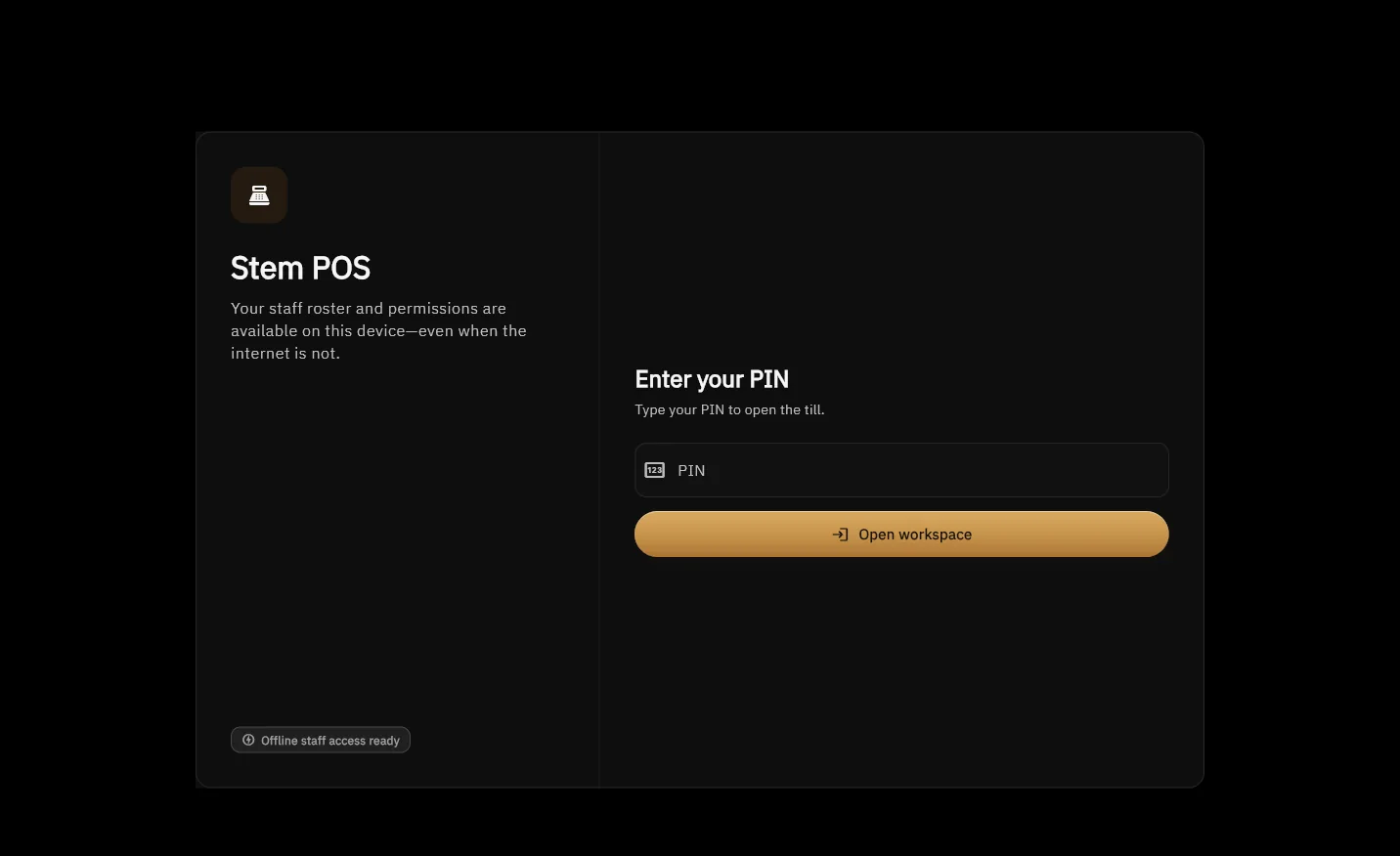
The installed Stem POS for Windows itself. Staff sign in with a PIN, even with no internet.
Thermal receipts, print-perfect
80mm raster receipts on any ESC/POS printer, USB or network, printed exactly like the signed artwork, QR and all.
Kitchen tickets at the pass
Dine-in and takeaway tickets fire to the kitchen printer the moment the order lands.
Shifts & drawer accounting
Opening floats, cash counts, expected-vs-actual per cashier, and a clean close of the business day.
Returns & exchanges at the counter
Refunds and exchanges settle against the original receipt, with printed audit-grade slips.
Credit sales & repayments offline
The customer credit book works right in Stem POS: sell on credit and take repayments with no connection.
Held orders & table tabs
Park a sale and come back to it, run table tabs with rounds, and split bills when the party pays separately.
Batch labels & expiry-first selling
Print scannable batch labels and let Stem POS sell first-expiry-first-out, so old stock leaves the shelf first.
Installs once, updates itself
Silent over-the-air updates, staff PIN sign-in per cashier, and themes from cosy to high-contrast.
Straight answers we wish every POS seller gave upfront.
Tell us what happens at your counter.
Call or WhatsApp from the shop. We will tell you where Stem fits, where it does not, and what you need to start.
The questions people ask us before the first sale
›Why does my profit look higher than it feels?
One common reason: on most tills, a product added quickly at the counter records what it sells for and nothing about what it cost, so every one of those lines reports as pure profit. The lines it happens to are usually your fastest movers, which is exactly where it matters. Stem asks what you paid when you add the product and shows the margin as you type, so the reports start from a real cost rather than an assumed one.
›Does it really work without internet?
Yes, with one honest caveat. You need a connection to register your store and for Stem POS’s first sign-in (it downloads your catalogue). From then on, day-to-day selling is fully offline: sales queue on the device and sync to the cloud when the connection returns. Nothing is lost, and reports book each sale on the day it actually happened.
›Is my data safe?
Your data lives in the cloud with nightly backups, and each Stem POS keeps its own local copy, so neither a dead laptop nor a dead connection loses your records.
›What hardware do I need?
Any Windows machine for Stem POS, or just a browser for the web version. Standard ESC/POS thermal printers (USB or network), barcode scanners and cash drawers work out of the box.
›Can it run a restaurant?
Yes. Restaurant mode adds menus with modifiers, kitchen tickets, table tabs with rounds and split bills, and recipe-based ingredient tracking, on top of everything Stem POS already does for retail.
›I have more than one branch.
Branches are first-class: per-branch stock, verified transfers between branches, per-branch reporting, and Stem POS devices that belong to the branch they stand in.
›Does it run on Mac or Android?
The web version of Stem POS already runs on any device with a browser: Mac, Android, iPad, anything. Native offline Stem POS apps for macOS and Android are on the way; Stem POS for Windows is available today.
›Does it work with EFRIS?
Not yet; EFRIS is in development. Stem holds the settings for your URA TIN, fiscal device and endpoint, and the structure around them is built, but completed sales are not yet transmitted to URA. Please do not rely on Stem for EFRIS compliance today; keep filing the way you do now. It is opt-in, so shops that are not EFRIS-registered never see it, and when live submission ships it reaches your Stem POS over the air.
›How much does Stem cost, and how do I pay?
The Free plan covers one user at no cost, with no expiring trial. Paid plans are USh 20,000 a month for Basic, USh 55,000 for Standard and USh 100,000 for Premium, all billed monthly by MTN or Airtel mobile money. Start free and upgrade when you grow. You can change plan at any time from inside the app.
Try Stem on the things you sell every day.
One person can use the full retail till free, with no card and no expiry date. Add the hardware only when the counter needs it.
Page updated 30 August 2026