
Stock control that survives a real shop
Stem tracks stock in batches: every consignment you receive keeps its own expiry date and its own cost, and the till automatically sells the batch that expires soonest first. You load your catalogue by importing the Excel file you already keep: up to 5,000 rows, previewed row by row before anything is saved.
How does batch and expiry tracking work?
A batch is one consignment of one product: the crate you received on Tuesday, separate from the crate you received last month. Each keeps its own expiry date, its own cost price and its own lot number, so “how much sugar do I have” and “which sugar goes off first” are different questions with different answers.
Oldest-expiring sells first
When a sale draws stock, it comes out of the batch with the nearest expiry date automatically. The person on the till does not have to know, choose or scan a batch for this to happen.
Undated perishables are refused
You cannot receive perishable stock without an expiry date. It is blocked on the server rather than only hidden in the screen, because undated perishable stock quietly breaks every expiry report that depends on it.
Lot numbers and labels
Give a batch your supplier’s lot number or let Stem generate one. Perishable batches also get a printable label barcode, so a scan at the counter identifies the exact consignment.
Because cost is held per batch rather than averaged away, your margin is measured against what that particular stock actually cost you, which matters in a market where the same item costs differently month to month.
How quickly can I get my catalogue in?
In one upload. If you keep any kind of stock list in Excel, that file is your catalogue. Stem reads up to 5,000 rows and shows you exactly what it is going to do before it does any of it. The fear of retyping a whole shop is the main reason owners stay on paper, and it is the part we spent the most effort removing.
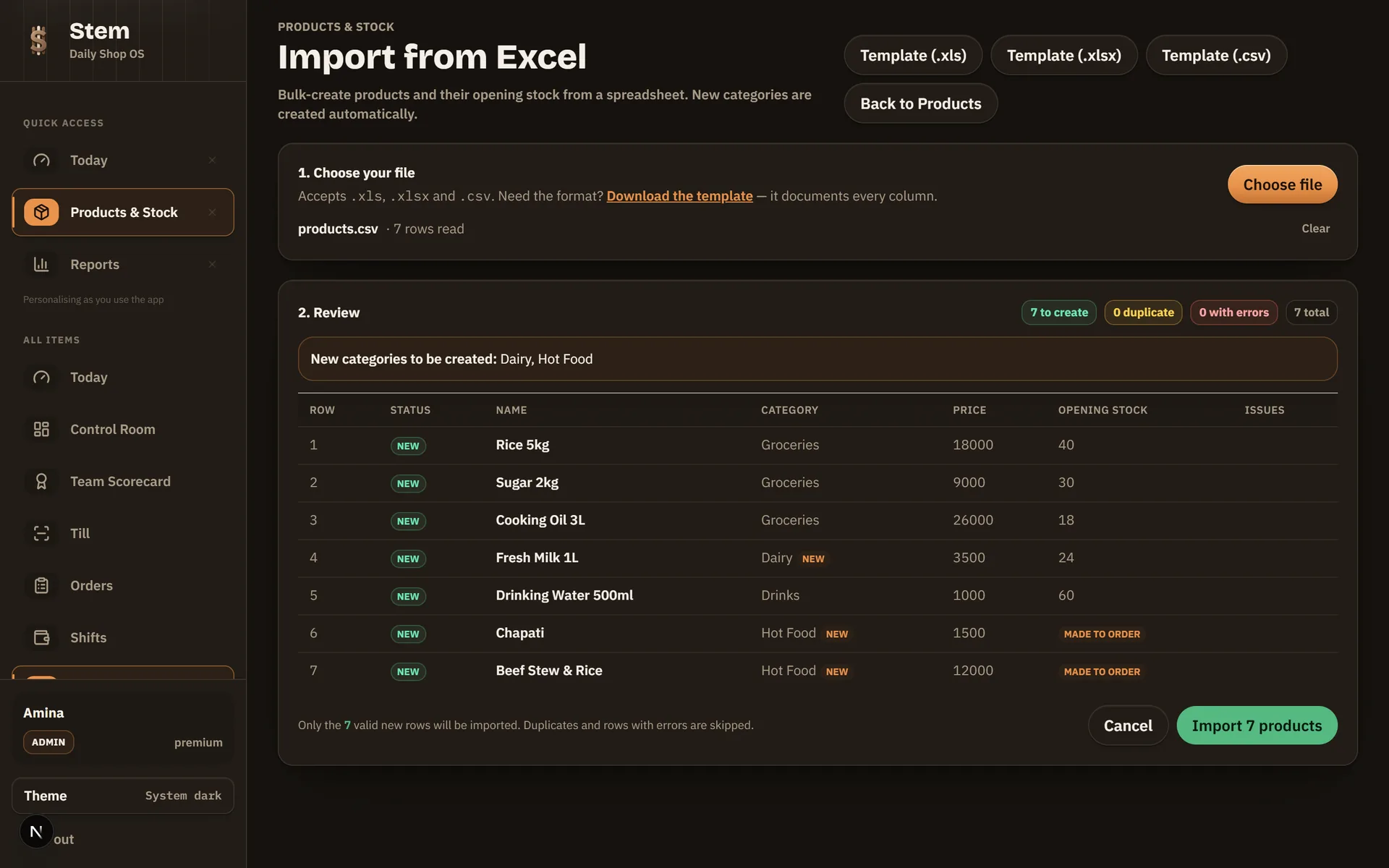
Preview before anything is saved
The import runs in two steps. You upload, and every row comes back marked New, Duplicate or Error with the reason, before a single product is written to your catalogue. Nothing is a surprise.
One bad row does not reject the file
Most importers refuse the whole spreadsheet over a single malformed cell. Stem validates row by row: the good rows commit, the problem rows are listed with what is wrong so you can fix just those.
Duplicates caught two ways
A barcode already in your catalogue is flagged as a duplicate, and so is a barcode repeated twice inside the file you are uploading. Neither quietly creates a second product.
Categories create themselves
Any category in your sheet that does not exist yet is created for you, matched without regard to capitalisation or stray spaces, so "Soft Drinks" and "soft drinks " do not become two categories.
Up to 5,000 products per upload
One file can carry five thousand rows. For most Ugandan shops that is the entire catalogue in a single pass.
Stock and expiry ride along
The same row carries name, category, selling price, cost, barcode, unit, opening stock, low-stock level, whether it is perishable and its expiry date, so your catalogue and your opening stock arrive together rather than as two separate jobs.
What stops me from breaking my own catalogue?
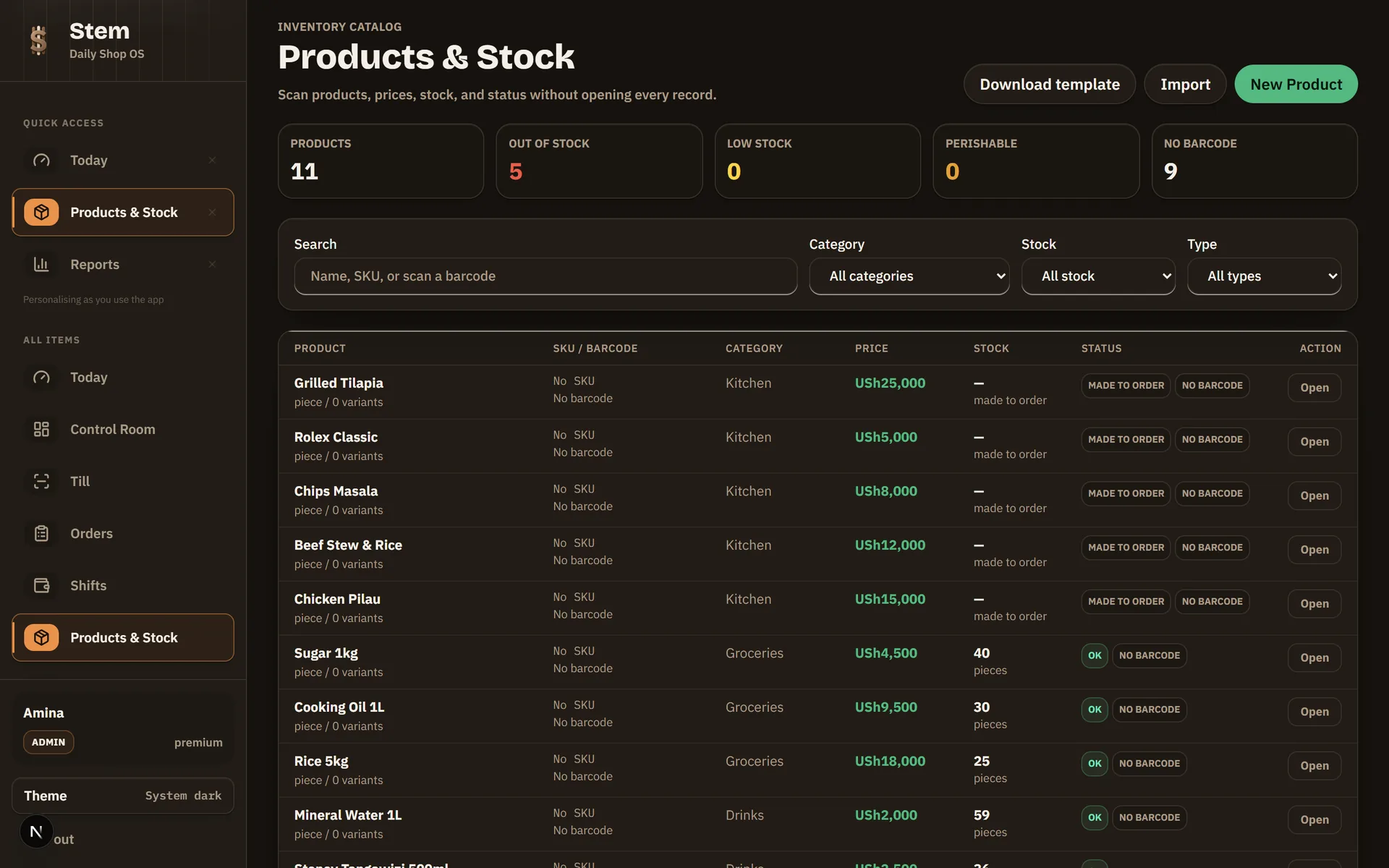
A catalogue is the one thing in a shop that everything else is measured against, and the damage from a bad edit shows up months later in a report nobody can explain. Stem is deliberately hard to corrupt.
Sold history is never destroyed
Anything that has appeared on a completed sale is deactivated rather than deleted. Your reports for last month cannot be rewritten by a tidy-up this month.
Categories with products cannot be deleted
You are asked to move or archive the products first, so a stray click can never orphan part of your catalogue.
Contradictions are refused, not guessed
Perishable stock with no expiry date is rejected. So is opening stock on a made-to-order item. The system tells you rather than silently dropping the part it did not understand.
Every destructive action is logged
Deletions, archives and category changes are written to the audit log with who did them, so an unexplained change has an answer.
The same principle runs through stock counts. You submit what you actually counted and what you expected to find; Stem works out the difference and records it with a reason, so a count is evidence about a moment rather than a silent correction. And if someone sold from that batch while you were still counting, the adjustment does not quietly overwrite the sale. The count is rejected so you can recount against the real number.
How does stock move between branches?
As a transfer with two ends, not a deduction and a hope. One branch dispatches the stock; the receiving branch counts what actually arrived. If the two numbers disagree, the shortfall is parked as an open variance for an admin to rule on: nothing is written off automatically. Each branch keeps its own lot numbering, so the same supplier lot can legitimately exist at two shops without colliding.
What changes versus a stock book?
| The question | A stock book | Stem |
|---|---|---|
| Which stock expires first? | You look at the shelf and hope. | Recorded per batch, and the till sells the oldest-expiring one first on its own. |
| Getting the catalogue in | Typed one product at a time. | Up to 5,000 rows from the Excel file you already keep, previewed before it saves. |
| A wrong entry | Crossed out, or quietly rewritten. | Refused if it contradicts itself, logged if it is destructive. |
| Stock sent to another branch | Deducted here, trusted to arrive. | Dispatched, counted in at the other end, and any shortfall parked for an admin to rule on. |
| What a product really cost you | An average, remembered. | Held per batch, so margin is measured against what that stock actually cost. |
Stock questions, answered
›Does Stem track expiry dates on stock?
Yes, per batch. Each consignment you receive is its own batch with its own expiry date and its own cost, and the till automatically sells the batch that expires soonest first. A perishable product cannot be received without an expiry date at all. The system refuses it rather than letting undated perishable stock into your shop.
›How do I import my products into Stem?
Upload the Excel or CSV file you already keep. Stem reads up to 5,000 rows and shows you a preview marking every row New, Duplicate or Error before anything is saved. Confirm, and the good rows are created, including any categories that did not exist yet. One bad row never rejects the whole file.
›What is FEFO, and why does it matter for a Ugandan shop?
FEFO means first-expiry-first-out: when a sale draws stock, it comes from the batch with the nearest expiry date rather than whichever was received last. It matters because it is the difference between selling milk in date order and finding a crate of expired stock at the back of the shelf. Stem does it automatically, with no scanning required by the person on the till.
›Can I track the same product across more than one branch?
Yes. Stock is held per branch, and moving it between branches is a two-step transfer: one branch dispatches, the other counts what actually arrived. If the count is short, the difference is parked as an open variance for an admin to rule on. Nothing is written off automatically.
›Does stock tracking work without internet?
Yes. The till keeps your catalogue and stock levels on the machine itself, so selling, receiving and stock counts all work with no connection and sync when it returns. Excel import runs on both the Windows till and the web.
›Can I print barcode labels for batches?
Yes. Perishable batches get their own printable label barcode when they are received, so a scan at the till identifies the exact consignment rather than only the product. That is what makes expiry tracking work at the counter instead of only in a report.
Losing stock to dates rather than to theft? How to stop losing money to expired stock walks through counting by batch and selling the oldest date first.
Bring your stock list, not your patience
Register your shop, upload the spreadsheet you already keep, and see your catalogue and opening stock land in one pass.
Running a kitchen? Recipes deduct ingredients as dishes sell.
Page updated 9 August 2026